


Let’s be honest: searching for a free Articles of Incorporation form online feels like walking into a trap.
Every website promises a “free template,” but the moment you start typing your business name, you’re greeted with:
❌ “Create an account”
❌ “Start your 7-day trial”
❌ “Upgrade to download”
That’s exactly what this article aims to change.
I created a 100% free Google Docs Articles of Incorporation template that you can open instantly, edit directly in your browser, print, or save as PDF — all without paying a single cent.
Just click “Get This Link,” view the preview, hit USE TEMPLATE, and you’re ready to go.
No surprises, no subscriptions, no upsells.
Template Preview
What This Template Includes
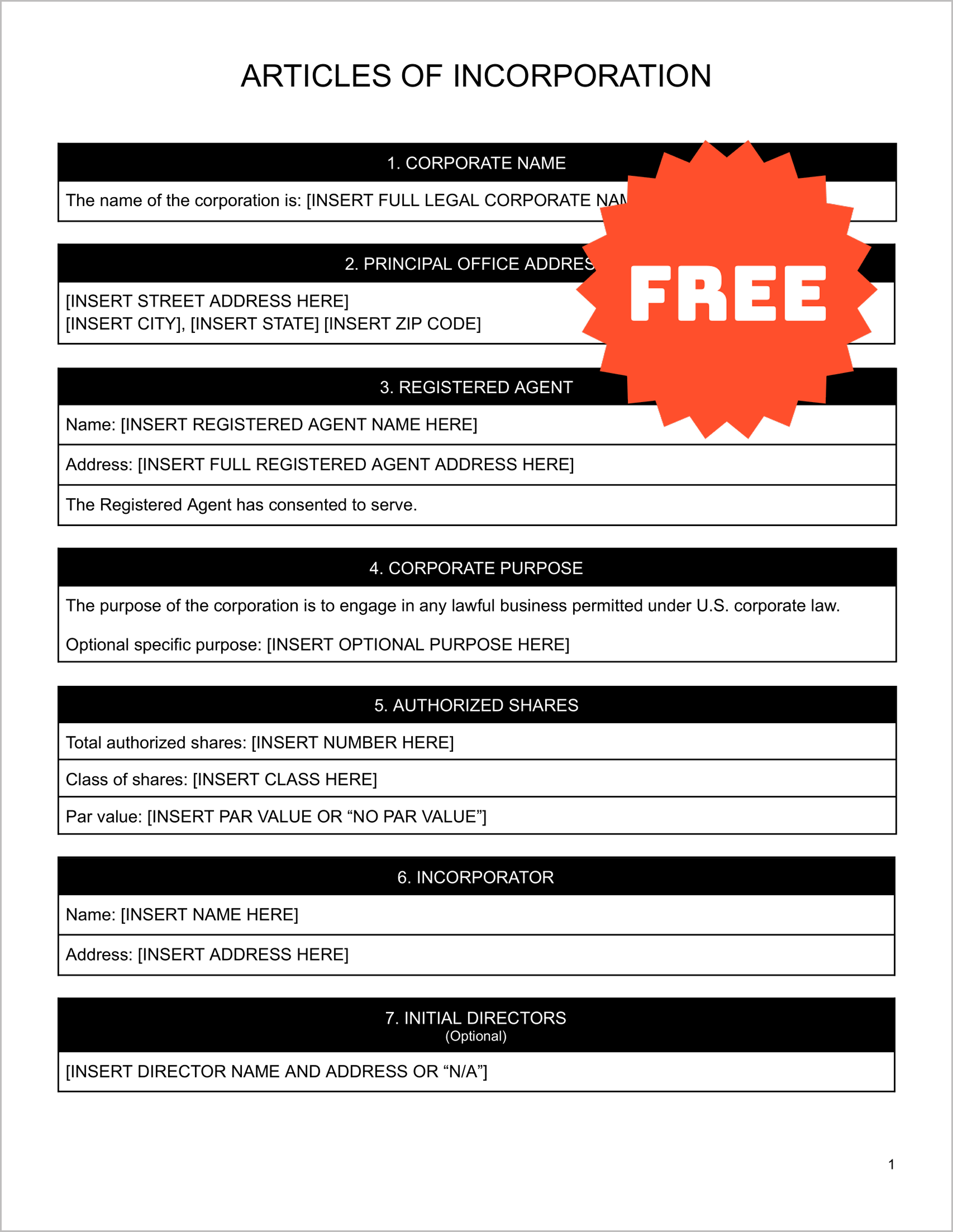
This Articles of Incorporation template contains every section required to legally form a corporation in the United States. It’s structured in a clean, fill-in-the-blank format so anyone—beginner or expert—can complete it with ease.
Here’s what’s inside:
- Corporate Name – Enter your business’s official name in Section 1
- Principal Office Address – Street, city, state, ZIP
- Registered Agent Details – Name & address of the agent who receives legal notices
- Corporate Purpose – General lawful purpose + optional specific purpose
- Authorized Shares Info – Number of shares, class, and par value
- Incorporator Information – Who is forming the corporation
- Initial Directors (Optional) – Add if required by your state
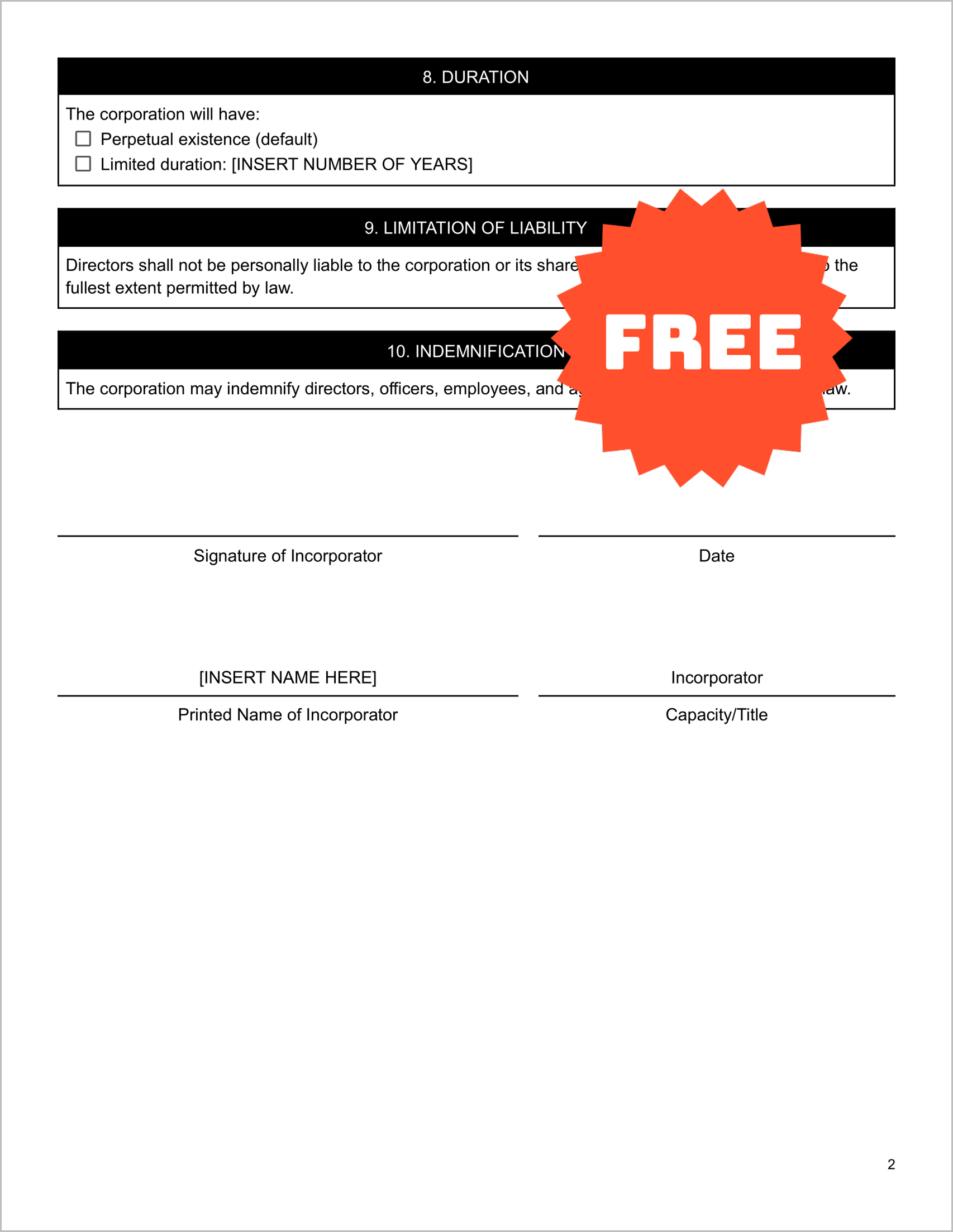
- Duration Clause – Usually “Perpetual”
- Liability Limitation & Indemnification – Standard legal protections
It contains everything your state will typically ask for — pre-organized, professionally formatted, and ready for filing.
How to Fill This Articles of Incorporation Template (Step-by-Step Guide)
Follow this simple process and you’ll have a completed form in minutes:
1. Click the “Get This Template” button
You’ll land on the Google Docs preview screen.
2. Select “Use Template”
Google creates a copy for you automatically — no logins or payments required.
3. Fill in your corporate name
Type your complete legal name in the field under Section 1, labeled [INSERT FULL LEGAL CORPORATE NAME HERE] .
4. Enter your corporate address
Add your street, city, state, and ZIP code information under Section 2.
5. Provide the Registered Agent’s details
Fill in the name and full address of your registered agent in Section 3. The consent statement is already included for convenience.
6. Add your corporate purpose
Keep the default general-purpose wording or specify what your corporation does.
7. Fill in authorized shares information
Enter total shares, class (common, preferred, etc.), and par value or “no par value.”
8. Enter the incorporator’s information
Provide the full name and address in Section 6.
9. Add initial directors (optional)
If required in your state’s filing process, list each director’s name and address in Section 7.
10. Choose your corporate duration
Most people choose perpetual existence, but a fixed number of years can be added if needed.
11. Read the liability & indemnification clauses
These provide legal protections for directors, officers, and agents — already included as Sections 9 and 10.
12. Sign & date the form
Print the final document, sign it where indicated, and submit it to your Secretary of State.
Frequently Asked Questions
1. What is the purpose of Articles of Incorporation?
They legally create a corporation by providing the state with key information about the business.
2. Is this template actually free?
Yes — no subscriptions, no hidden charges, and no locked fields.
3. Can I use this for any U.S. state?
Yes, the template is universal. Some states may require additional forms, but the core structure works everywhere.
4. Can I edit it without Microsoft Word?
Absolutely. Google Docs lets you edit, download as Word, or export as PDF for free.
5. What is a Registered Agent and why do I need one?
A Registered Agent receives legal notices on behalf of the corporation. This template includes a dedicated RA section in Section 3 .
6. Do I need a lawyer to fill this out?
Not necessarily. This template is beginner-friendly, although professional advice is recommended for complex situations.
7. Should I add a specific purpose or keep the general purpose?
Most businesses stick with a general-purpose clause because it allows more flexibility.
8. How many shares should I authorize?
There’s no universal rule, but many small companies authorize 1,000–10,000 shares. Consult your state’s guidelines if unsure.
9. Can I list initial directors later?
Some states allow you to appoint directors after formation. That’s why this template lists directors as optional.
10. How do I file the completed form?
You can file by mail, in person, or upload it through your state’s online filing system — depending on your state.
Get Your Free Copy Now — No Signup, No Subscription
Click the button, open the Google Docs file, and click USE TEMPLATE.
Your editable version will be created instantly. You can:
✔ Fill it digitally
✔ Print and complete by hand
✔ Download as PDF
✔ Export as Word
✔ Sign and file with your state